AI-assisted network digital twin
Test every network change before it reaches production.
AIN-DT builds a working copy of your network, runs the change there first, and tells your team in plain language what it would break.
- 67recorded runs, each with an explanation
- 3reference networks, rebuilt as test copies
- 50 of 50build-and-teardown cycles with nothing left behind
- 1.000reachability agreement with a reference network
The problem
One wrong change can take a network down.
Routing tweaks and switch settings are usually approved on a read-through. The mistake shows up when users lose their connection.
How it works
From a proposed change to a plain-language answer.
Six steps, run automatically for every change.
- Read the networkFrom the live devices, or from one description file.
- Build a twinA working copy running real routing software.
- Apply the changeTake a link down, change a cost, move a VLAN.
- Compare before and afterRoutes, reachability, services, traffic.
- Score the riskOne score and a band from low to critical.
- Explain in plain wordsEvery sentence checked against the evidence.
Solutions
One platform for safer network change.
What network teams use AIN-DT for.
- Pre-change validationKnow who loses access before the maintenance window opens.
- Network discoveryTurn running Cisco and FRR devices into a twin.
- Risk reportsA score, a dashboard and an explanation for the change board.
See it in action
Watch a real change play out.
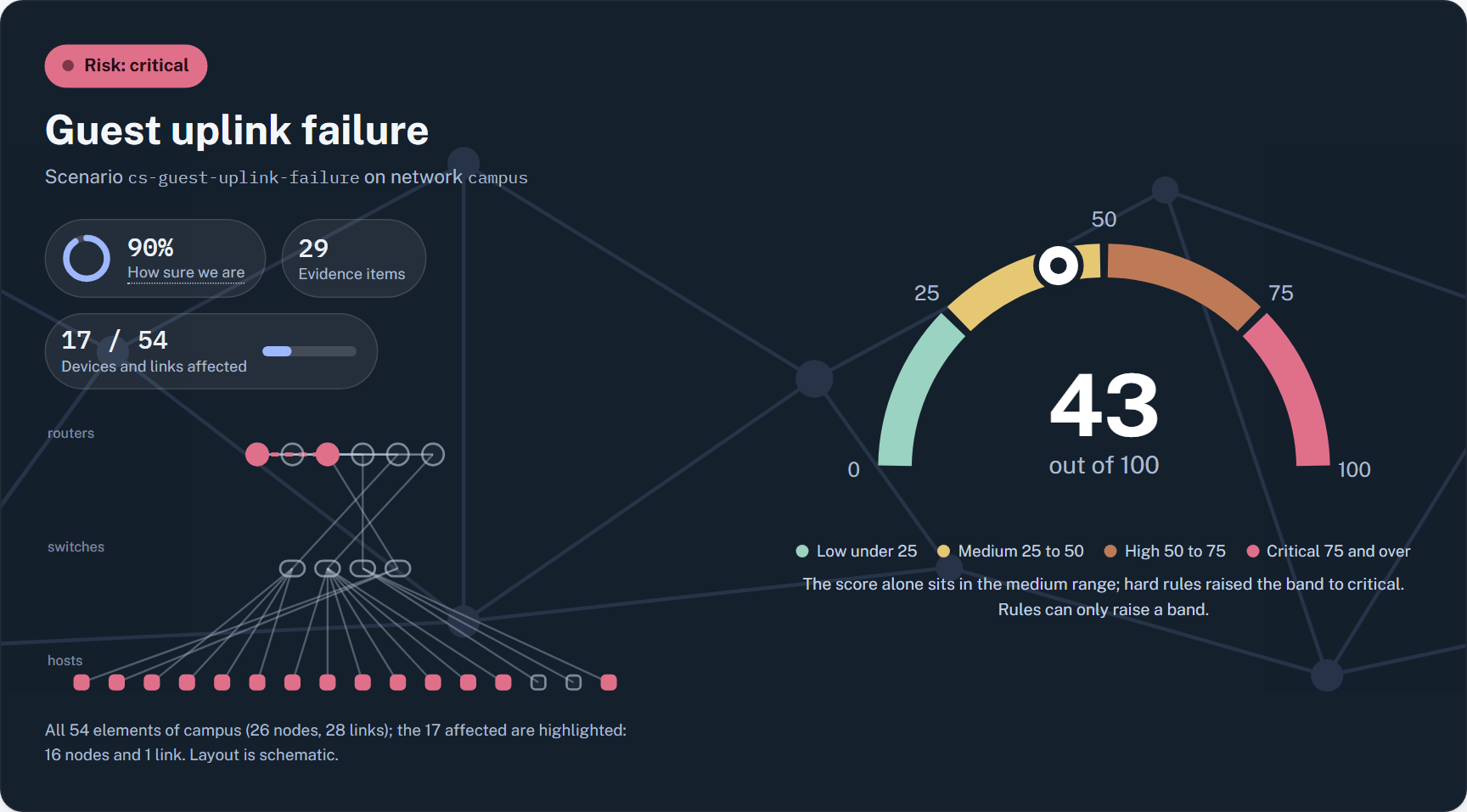
A guest network loses its only uplink. The run shows who is cut off, and why the risk is critical.
Built with
Built on proven open-source networking.
The same routing software that runs in production networks.
- MininetNetwork emulation
- Open vSwitchVirtual switching
- FRRoutingRouting protocols
- PythonAnalysis and reports
- OllamaLocal language model
Change your network with confidence.
See the full feature set, or meet the team behind AIN-DT.